 +91 8076673524
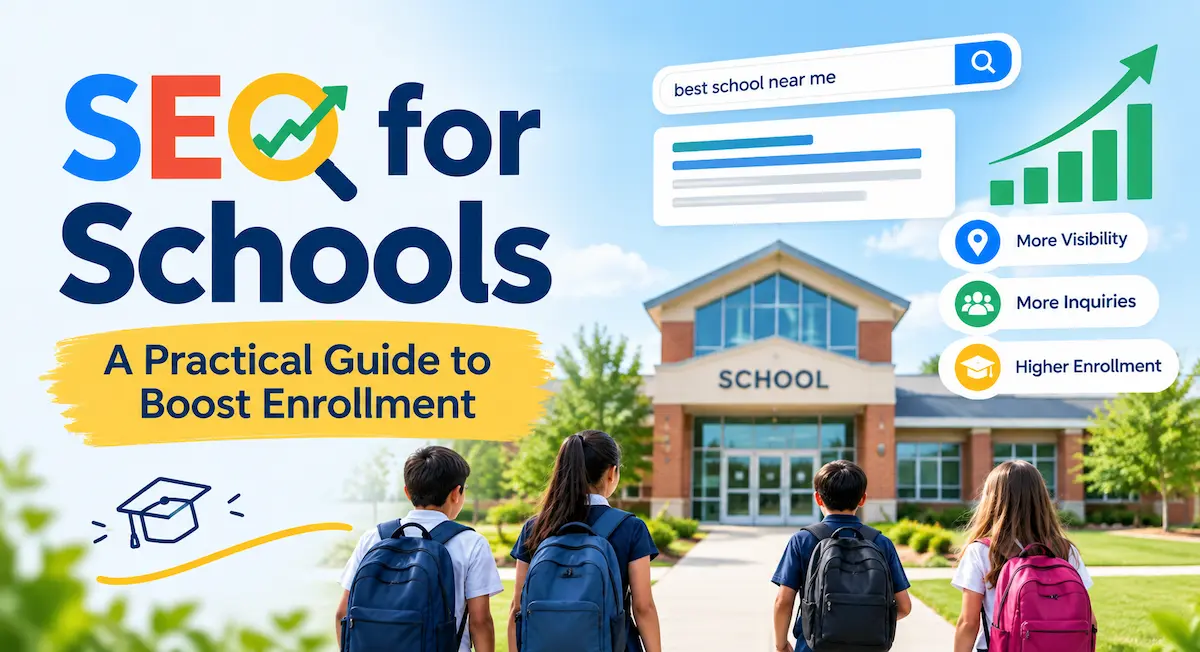
t’s 10 p.m. A parent puts the kids to bed, opens a laptop, and types “best school near me.” Within seconds, they’re scanning a handful of names. Is yours one of them? If not, you’re losing families you never even knew were looking. That’s the gap SEO for Schools closes. This guide shows you how to get found, how to earn trust once you’re found, and how to turn clicks into campus tours.
What Is SEO for Schools, and Why Does It Matter?
SEO in Plain English
Search engine optimization is the practice of making your website easier for Google to find, understand, and recommend. Think of it as quality control for your online presence. You give people the right information at the right moment, and search engines reward you with better rankings.
Nothing mystical is happening. Google wants to show searchers the most helpful, trustworthy result. Your job is to be that result.
How Parents and Students Actually Search
Parents rarely type a single word. They ask full questions: “How do I choose a private school?” or “When should I apply for kindergarten?” They also search by location, such as “private high schools in Seattle” or “preschool programs near me.” Students, meanwhile, hunt for specific courses, clubs, and sports.
Every one of those searches is an opening. Miss it, and a competitor walks through.
Why School SEO Differs From Regular Business SEO
A school isn’t a shoe store. Your audience is local, your decision cycle is long, and your enrollment calendar is seasonal. A family might research for months before booking a tour. The searcher’s intent is also unusually specific: they aren’t browsing, they’re choosing where a child will spend years of their life.
That’s why school website SEO leans so heavily on local search, trust signals, and genuinely helpful content.
What Good SEO Can Do for Your School
More Organic Traffic
Organic traffic is the free, steady stream of visitors who find you through search. It doesn’t vanish when you stop paying for ads. Once your pages rank, they keep working for you around the clock.
More Campus Tour and Admission Enquiries
Better visibility means more eyes on your admissions page. More eyes mean more enquiry forms, phone calls, and open-day sign-ups. Your website stops being a digital brochure and starts acting like an enrollment tool.
Lower Costs Than Paid Ads
Paid campaigns stop the moment your budget does. SEO takes longer to build, but it’s far more cost-effective over time.
Start With Keyword Research
Think Like a Parent
Forget your internal jargon for a moment. Parents don’t search for “holistic pedagogical frameworks.” They search for “small class sizes near me.” Sit down and write out every question a worried, curious, or excited parent might ask. Those questions are your keyword list.
Types of Keywords Schools Should Target
Local Keywords
These pair your offering with your location, like “private high school in [city]” or “best elementary schools near me.” They carry strong intent and usually face less competition than broad terms.
Long-Tail and Question Keywords
Longer phrases convert better. “How to choose a middle school” may attract fewer searches than “schools,” but the people searching it are actively deciding. Answer those questions directly, and you become the helpful voice in their research.
Program-Specific Keywords
Do you offer a robotics club, a bilingual track, or a strong arts program? Say so. Parents searching for those specifics are often your best-fit families.
Free and Paid Tools to Use
Google Search Console shows what people already type to reach you. For fresh ideas, tools like Semrush, Ahrefs, and Moz reveal search volume and competition. Even Google’s own autocomplete and “People also ask” boxes are surprisingly useful.
The Keyword Stuffing Trap
Cramming the same phrase into every sentence reads badly and can hurt your rankings. Use keywords naturally, once where they fit, and let related terms do the rest. If a sentence sounds odd read aloud, rewrite it.
Build a Website Google (and Parents) Will Love
Clean Site Structure and Navigation
Visitors should reach admissions, fees, and contact details within two clicks. A logical menu helps people and helps search engine crawlers understand your pages. Group related content together, and avoid burying key information in PDFs.
Title Tags, Meta Descriptions, and Headings
Your title tag is the clickable headline in search results. Keep it clear, include your main keyword, and make it match the page. The meta description is your short sales pitch beneath it. Write it for humans.
Use one main heading per page, then break content into subheadings. Good on-page optimization also makes pages easier to scan.
SEO-Friendly URLs
Short beats long. A URL like yourschool.com/admissions tells everyone exactly where they are. A string of numbers and symbols tells them nothing.
Mobile-Friendly Design
More than half of school website visits often come from phones and tablets. Parents check your site between school runs and meetings. If buttons are tiny or text spills off the screen, they’ll leave. Test every important page on your own phone.
Page Speed and Image Compression
Slow sites frustrate visitors and weaken your search engine rankings. Compress large photos, remove clutter, and choose reliable hosting. Your gorgeous campus images shouldn’t take ten seconds to load.
Security and Accessibility
Make sure your site runs on HTTPS. It protects visitors and signals trust. Accessibility matters too. Add alt text to images, use readable fonts, and keep color contrast strong.
301 Redirects After a Redesign
Planning a new website? Don’t forget redirects. Without them, old pages that already rank will send visitors to error screens, and you’ll throw away years of SEO value. Map every old URL to its new home.
Master Local SEO for Schools
Claim and Optimize Your Google Business Profile
If you do only one thing from this guide, do this. A complete Google Business Profile can place your school in the local pack, the map-and-listings box at the top of results. From there, parents can read reviews, get directions, or call your office in one tap.
Choose the Right Category and Complete Every Field
Select “School” or the closest match, such as “private high school” or “elementary school.” Add your address, phone number, website, and opening hours. Skipped fields are missed chances.
Write a Description With Key Details Up Front
Put your most important information in the first 250 characters. Mention your location, grade levels, and what sets you apart. Use the words parents use.
Add Photos, Posts, and Event Updates
Upload bright, current photos of classrooms, playgrounds, and students. Post about open days, awards, and announcements. An active profile tells Google, and families, that you’re open for business.
Encourage and Answer Google Reviews
Authentic reviews build trust fast. Invite satisfied parents to leave one, and reply to every review, including critical ones. A calm, thoughtful response to a complaint can persuade a prospective family more than ten glowing comments.
Keep Your NAP Consistent Everywhere
NAP stands for name, address, and phone number. Google cross-checks them across the web. If your site says “St. Mary’s School” and a directory says “Saint Marys Academy,” you’ve created confusion and weakened your local signals. Pick one format and use it everywhere.
Get Listed in Directories
Bing Places, Yelp, and General Directories
Claim your Bing Places listing and add your school to well-known business directories. They’re free and they build citations.
Education Directories and Review Sites
Niche school-finder sites attract parents who are already comparing options. Make sure your details are accurate and up to date.
Local Sources
Your city or district website, chamber of commerce, local news outlets, and parent groups can all mention you. Those geographically relevant mentions carry real weight.
Create Location-Focused Pages and Content
Use your town or neighborhood naturally across your site. Write pages like “Why Families in [Town] Choose Us” or “Summer Camps in [City].” Mention local landmarks, partnerships, and events. It tells Google exactly where you belong.
Create Content That Answers Real Parent Questions
Content Ideas That Work
Admission and Application Guides
Walk parents through your process step by step: deadlines, documents, fees, and tour booking. Clear answers reduce anxiety and increase enquiries.
Parent Resource Pages
Publish guides like “How to Choose the Right Elementary School in [City].” They’re useful even to families who never apply, and they build your authority.
Student Achievements and Success Stories
Real results beat marketing slogans. Share competition wins, alumni journeys, and academic milestones.
Community Events and Open Days
Event pages keep your site fresh and give people reasons to visit. Add dates, times, and clear sign-up buttons.
Blog Posts on Education Trends and Parenting Tips
Topics like study habits, screen time, or preparing a child for school help you earn visibility beyond your name. Keep them practical.
Use Topic Clusters and Pillar Pages
Here’s a smart way to organize everything. Create one broad pillar page, such as “Choosing a Private School,” then link to detailed supporting articles on fees, curriculum, and admissions. This structure shows search engines you cover a subject thoroughly.
Write for People First, Search Engines Second
Google rewards helpful content. Use plain language, short paragraphs, and honest answers. Skip the buzzwords. If a parent can’t understand your page in thirty seconds, simplify it.
Keep Content Fresh
Outdated fees, expired deadlines, and last year’s events erode trust. Review your key pages at least once per term. Small updates send a strong quality signal.
Build Authority With Backlinks
Why Links Act as Votes of Trust
When a reputable website links to yours, Google reads it as a recommendation. Quality matters far more than quantity. Ten links from relevant local sources can outperform a hundred random ones.
Where to Earn Links
Partner Schools, Alumni Associations, and Local Businesses
Reach out to groups you already work with. A sponsor page, a partnership announcement, or an alumni feature can earn a natural link.
Local Media and Community Organizations
Send news about awards, charity drives, and events to local outlets. Coverage often includes a link back to your site.
Avoid Low-Quality and Spammy Links
Never buy links in bulk. Spammy backlinks can damage your rankings. If a link feels cheap, it probably is.
Use Social Media to Support Your SEO
How Social Signals Help Visibility
Social posts don’t directly boost rankings, but they widen your reach, drive traffic, and encourage people to search for your school by name. That branded search activity helps.
Linking Back to Your Website
When it makes sense, link to relevant pages in your posts: admissions details, event pages, or blog articles. Don’t just announce things. Send people somewhere useful.
Facebook as a Local Discovery Tool
Facebook business listings include location features and reviews, which makes the platform a natural local discovery channel for schools. Keep your page details consistent with your website and Google profile.
Track, Measure, and Improve
Organic Traffic and Rankings
Are more people finding you through search than last quarter? Which pages bring them in? Those numbers show what’s working.
Enquiry and Form Submissions
Traffic alone doesn’t fill classrooms. Track tour bookings, enquiry forms, and calls. They connect your SEO to real enrollment results.
Google Business Profile Activity
Watch profile views, direction requests, and calls. Spikes often follow new posts, photos, or reviews.
Tools to Use
Google Analytics shows how visitors behave. Google Search Console reveals the queries that bring them and flags technical problems. Both are free.
Monitor Referral Traffic From AI Tools
More families now ask AI assistants for school recommendations. Keep an eye on referral traffic from those sources, so you can see where discovery is happening.
Review and Adjust Regularly
Set a monthly check-in. Fix what’s slipping, double down on what’s winning, and don’t expect overnight miracles.
Common SEO Mistakes Schools Make
Treating the Website Like a Digital Brochure
A brochure just sits there. A good school website answers questions, guides decisions, and invites action.
Ignoring Mobile Users
If your site works beautifully on a desktop and poorly on a phone, you’re failing most of your visitors.
Inconsistent Listings
Mismatched names, addresses, or phone numbers across directories confuse search engines and dilute your local ranking.
Thin or Duplicate Content
Pages with a couple of lines, or text copied from elsewhere, offer little value. Write original, substantial content for every important page.
Set-It-and-Forget-It Thinking
SEO isn’t a one-time project. Google updates its systems constantly, and competitors keep improving. Consistent effort beats a big burst followed by silence.
Quick SEO for Schools Checklist
- Claim and complete your Google Business Profile
- Research local, long-tail, and question-based keywords
- Write clear title tags and meta descriptions for key pages
- Make your site fast, secure, and mobile-friendly
- Keep your name, address, and phone number consistent everywhere
- Publish helpful guides for parents and students
- Earn links from trusted local sources
- Collect and reply to Google reviews
- Track results in Google Analytics and Search Console
- Review and refresh content every term
Frequently Asked Questions
What is SEO for schools?
SEO for Schools is the process of optimizing your website and online profiles so search engines show your school to families and students searching for education options. It combines keyword research, technical fixes, local search tactics, and helpful content.
How long does it take for school SEO to show results?
Most schools notice early improvements within three to six months, though stronger rankings often take longer. Competition, your starting point, and how consistently you work all affect the timeline.
Is local SEO more important than general SEO for schools?
For most schools, yes. Families usually choose a school within a reasonable distance, so appearing in local results matters more than ranking nationally. That said, strong general SEO supports your local efforts.
How much does SEO for a school cost?
It varies widely. You can handle the basics yourself for little more than your time, while agency packages range from modest monthly retainers to larger ongoing investments. Start with free tools and the steps in this guide, then decide whether outside help is worth it.
Do small or private schools really need SEO?
Absolutely. Small and private schools often compete for the same limited pool of local families, and many parents begin their search on Google. A smaller marketing budget makes organic visibility even more valuable.
How often should a school update its website content?
Review key pages such as admissions, fees, and events at least once per term. Add new blog posts or guides regularly, even if it’s just once or twice a month.
Can a School do SEO without hiring an agency?
Yes. Claiming your Google Business Profile, fixing basic on-page issues, and publishing helpful content are all manageable in-house. An agency can help with technical audits or when your team lacks time.
Wrapping Up
Strong SEO for Schools comes down to a few habits. Know what parents search for. Build a fast, mobile-friendly website. Win your local market with a polished Google Business Profile and consistent listings. Publish content that answers real questions, earn trusted links, and measure what happens.